

Grant funding can open the door to meaningful growth for a nonprofit organization. It can help expand programs, serve more people, and support long-term mission delivery.
However, grant funding also adds complexity.
Restricted grants come with rules. Funds may need to be used for a specific program, purpose, time period, population, or expense category. Some grants require reimbursement after costs are incurred. Others require detailed reporting, documentation, milestone tracking, or audit support.
When a nonprofit is managing one or two grants, spreadsheets may feel manageable. But as the organization grows, those same spreadsheets can become risky. Numbers get updated manually. Reports may not tie cleanly to the general ledger. Grant managers and finance teams may not be looking at the same information.
That is where Sage Intacct can make a major difference.
Sage Intacct for nonprofits helps organizations manage restricted grants with stronger visibility, cleaner reporting, and better accounting structure. When implemented correctly, it gives your team a more reliable way to track grant activity, monitor spending, manage reimbursements, and prepare for audits.
Let’s walk through five ways Sage Intacct helps nonprofits manage restricted grants and reporting.
1. Moving from Basic Nonprofit Bookkeeping to Centralized Grant Tracking
Restricted grants usually involve more than a funding amount. Your team may need to track the grant agreement, approved budget, reporting dates, funding source, award type, restrictions, milestones, deliverables, reimbursement rules, and documentation.
When those details live in different spreadsheets, folders, emails, or paper files, things can slip through the cracks.
Sage Intacct centralizes the financial and reporting information associated with grants while supporting document storage and billing workflows. Instead of trying to piece together information from several places, your team has a more complete view of each grant.
This matters because grant management depends on timing and accuracy. Your finance team needs to know what has been awarded, what has been spent, what remains available, and what reporting requirements are coming up. Program leaders need to understand where each grant stands. Auditors may need support showing how restricted funds were used.
A centralized system helps everyone work from the same information.
At JFW Accounting Services, we know how quickly grant details can become overwhelming when organizations are growing. Sage Intacct gives nonprofits a better way to organize those details before reporting deadlines, funder questions, or audit requests create unnecessary stress.
2. Dimensions Help Track Grant-Restricted and Donor-Restricted Resources Without Spreadsheet Overload
One of the strongest features of Sage Intacct is dimensional accounting.
Instead of building an overly complicated chart of accounts, nonprofits can use dimensions to tag transactions by:
- Grant
- Fund
- Program
- Department
- Location
- Project
- Entity
- Funder
This gives your accounting data more context without forcing your team to create endless account codes.
For example, one expense can be connected to the right grant, fund, program, department, project, and funder. That structure makes reporting much easier. Your finance team can pull information by grant, program, fund, department, or another dimension without rebuilding reports from scratch.
This is especially important for restricted grants. If a funder restricts money for a specific purpose, your nonprofit needs a clean way to show how those funds were used. Dimensions help your team track that activity directly in the accounting system instead of relying on outside spreadsheets.
Meals on Wheels America is a great example of why this matters. Before moving to Sage Intacct, the organization relied on QuickBooks and Excel, which created limitations with financial management and grant tracking. Restricted grants were especially difficult because funders specified how the money had to be used. With Sage Intacct, the organization gained real-time visibility into expenses booked against specific grants and used dimensions to view data by project, department, funder, and more.
That kind of structure gives nonprofits better transparency and helps leadership make decisions with more confidence.
3. Budget-to-Actual Reporting Shows Where Each Grant Stands
Grant reporting should not begin when a funder report is due. By then, your team may already be racing to clean up coding issues, reconcile spreadsheets, or explain budget differences.
Sage Intacct helps nonprofits monitor spending and compare grant budgets to actual activity throughout the grant period.
This is especially helpful when grant reporting periods do not match your organization’s fiscal year. Many nonprofits have grants that cross fiscal years or follow a funder-specific reporting calendar. Without the right system, comparing budget to actuals can turn into a manual process.
With Sage Intacct, your team can see how expenses are tracking against the grant budget and identify potential issues earlier. That can help answer questions such as:
- Are we spending according to the approved budget?
- Are any categories over or under budget?
- Are expenses being coded to the correct grant?
- Are there unused funds that need attention before the grant period ends?
- Are program leaders seeing the information they need?
This kind of visibility helps your team course correct before small issues become bigger reporting problems.
At JFW, we help nonprofits think through what leadership, boards, funders, and program teams need to see. The goal is not more reports. The goal is better reports that give your organization useful information at the right time.
4. Reimbursable Cost Tracking Supports Cleaner Grant Billing
Many grants reimburse nonprofits after costs are incurred. That means your accounting system needs to do more than record expenses. It needs to help identify which expenses are eligible for reimbursement and connect those costs back to the correct grant.
If your team misses eligible costs, your organization may leave money on the table. If costs are overstated or not properly supported, reimbursement requests can be delayed or questioned.
Sage Intacct can be configured to identify and report reimbursable expenses associated with specific grants. That gives your finance team a cleaner path from expense entry to reimbursement reporting.
This is valuable because it reduces the risk of missed charges, duplicated work, manual billing errors, overstated reimbursement requests, and delayed funder reporting.
Sage Intacct can support indirect cost allocation methodologies through configuration and reporting, helping nonprofits track and recover allowable indirect costs under grant agreements. For nonprofits managing grants with indirect cost recovery, this can help create a more consistent process.
Labor costs are another important piece. Payroll is often one of the largest expenses for nonprofits. When employees split time across grants, programs, or departments, time tracking needs to connect back to the accounting system. When integrated with timekeeping and payroll systems, Sage Intacct can help organizations allocate labor costs across grants and programs.
That matters for reimbursement, reporting, labor allocation, budget monitoring, and audit support.
When labor and expenses are tracked correctly from the beginning, the finance team spends less time reconstructing information later.
5. Using Dashboards and Audit Trails to Strengthen Financial Controls for Nonprofits
Nonprofit leaders need timely financial information. Grant managers need to know what is due and where spending stands. Finance teams need to review activity. Boards may need a high-level view of restricted funds. Auditors may need documentation and support.
Using Sage Intacct for nonprofits to build role-based dashboards helps different users see the financial information most relevant to their responsibilities. For example:
- Grant managers can monitor activity, deadlines, and budgets.
- Finance leaders can review restricted funds, reimbursement activity, and reporting needs.
- Executives can see broader trends across programs and grants.
- Auditors can review support more efficiently when records are organized.
Dashboards are helpful because they reduce the need to wait for static reports. Instead of making decisions from outdated information, teams can work from more current data.
Sage Intacct also supports stronger audit readiness. Centralized grant records, reports, reimbursable cost tracking, approvals, and audit trails give staff and auditors a clearer source of information. This can be especially important for nonprofits managing government grants and maintaining the documentation required to support a Single Audit.
The Meals on Wheels America Sage Intacct success story shows how much this can matter. After moving to Sage Intacct, the organization:
- Accelerated its monthly close from three weeks to two weeks
- Reduced audit preparation time by 60%
- Gained better visibility into grant expenses
- Reduced reliance on manual Excel work
For nonprofits, that is not just a software improvement. It is a stronger accounting process.
Why Sage Intacct Implementation Matters
Sage Intacct is powerful, but the setup matters.
Automation only works when the system is configured correctly. If grants, funds, programs, departments, and reporting needs are not structured thoughtfully from the beginning, the system may not deliver the clarity your team expects.
During implementation, nonprofits should think carefully about questions like:
- Which dimensions should we use?
- How should grants and restricted funds be structured?
- What reports do leadership and the board need?
- How should reimbursable costs be flagged and reviewed?
- How will labor costs be tracked by grant?
- What approval workflows are needed?
- How will documentation be attached and organized?
- How will the system support audits and funder reporting?
- How will reports be used during month-end close?
At JFW Accounting Services, we help nonprofits approach Sage Intacct implementation from an accounting perspective. We do not treat implementation like a software install. We look at your workflows, reporting needs, grant structure, internal controls, and financial management process so the system supports how your organization actually operates.
That preparation helps your nonprofit avoid confusion later.
Manage Restricted Grants With More Clarity Through JFW Accounting Services
Restricted grants carry responsibility. Your nonprofit needs to show that funds are used correctly, expenses are tracked accurately, reports are reliable, and documentation is available when funders or auditors ask for support.
Sage Intacct gives nonprofits the tools to manage those responsibilities with more visibility and less manual work. With centralized grant tracking, dimensional accounting, budget-to-actual reporting, reimbursable cost tracking, dashboards, and audit trails, your team can spend less time chasing numbers and more time using financial information to guide the mission.
At JFW Accounting Services, we help nonprofits strengthen their accounting systems, improve reporting, and implement Sage Intacct with clarity and confidence. Whether your organization is outgrowing spreadsheets, preparing for more complex grant reporting, or looking for a better way to manage restricted funds, the right accounting partner can help you build a stronger foundation.
Contact us today to learn how JFW Accounting Services can help your nonprofit use Sage Intacct to manage restricted grants and reporting with greater confidence.
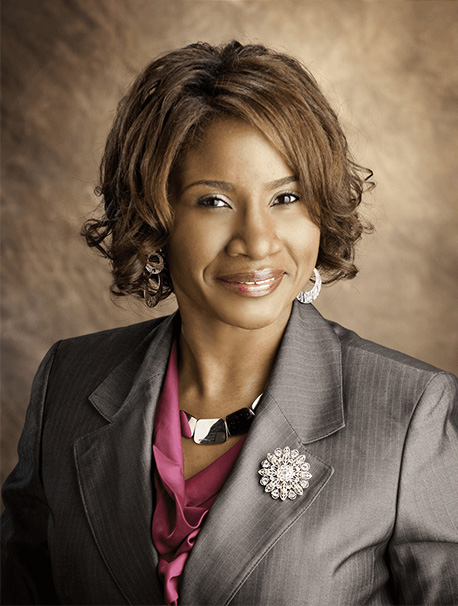
Jo-Anne Williams Barnes, is a Certified Public Accountant (CPA) and Chartered Global Management Accountant (CGMA) holding a Master’s of Science in Accounting (MSA) and a Master’s in Business Administration (MBA). Additionally, she holds a Bachelor of Science (BS) in Accounting from the University of Baltimore and is a seasoned accounting professional with several years of experience in the field of managing financial records for non-profits, small, medium, and large businesses. Jo-Anne is a certified Sage Intacct Accounting and Implementation Specialist, a certified QuickBooks ProAdvisor, an AICPA Not-for-Profit Certificate II holder, and Standard for Excellence Licensed Consultant. Additionally, Jo-Anne is a member of American Institute of Certified Public Accountant (AICPA), Maryland Association of Certified Public Accountants (MACPA), and Greater Washington Society of Certified Public Accountants (GWSCPA) where she continues to keep abreast on the latest industry trends and changes.